
Productify for iPhone
New designs to Printify products, from your phone.
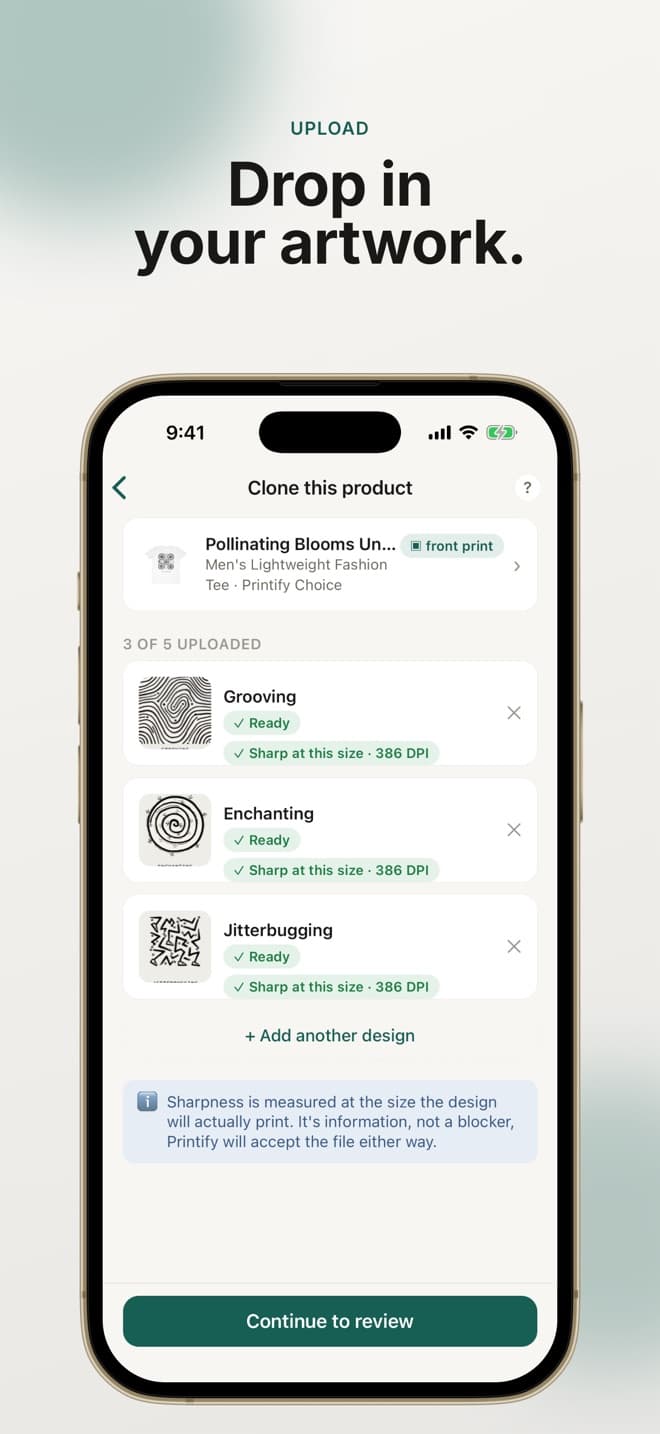
Pick a product you already sell, add up to 5 new designs from your photos, and create one Printify product per design. Same account and credits as the website.
 Free download. Products use your credits.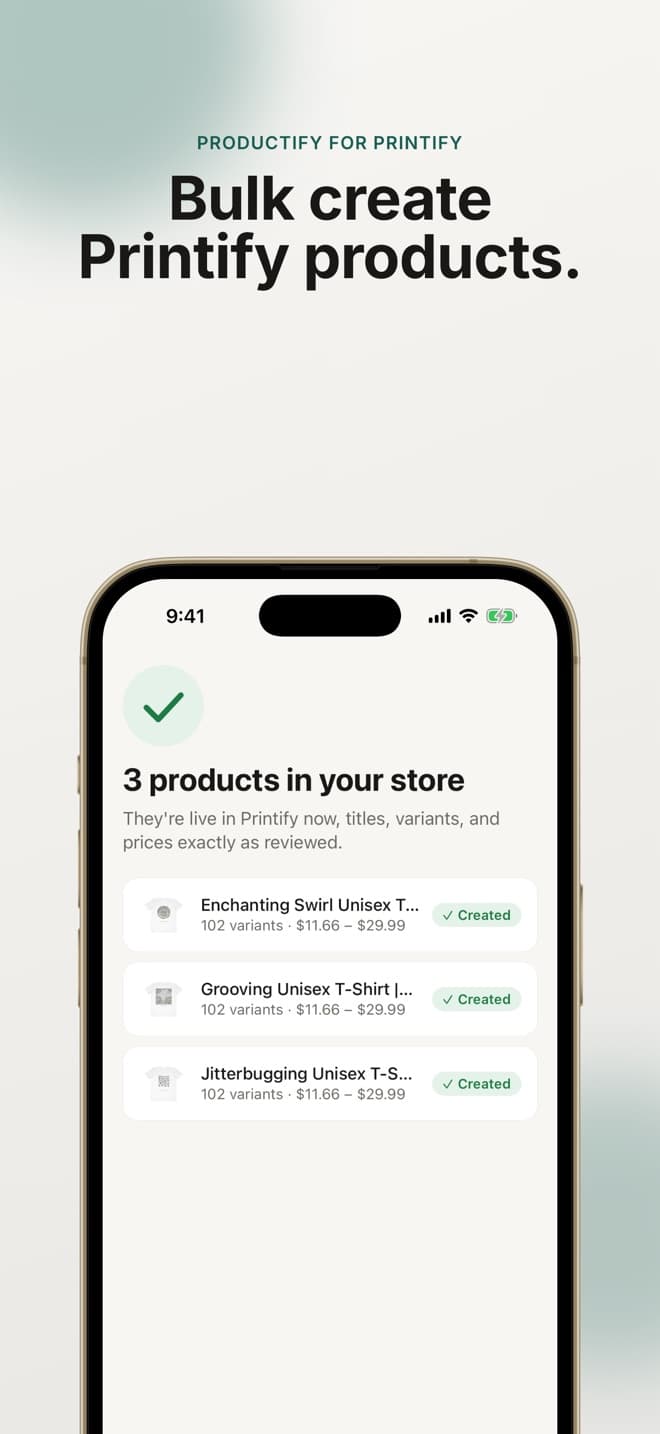
In the app
Everything a new design needs to become a listing.
- Share artwork straight from Photos, or pick it from your saved designs
- Clone a product from your Printify store, or start from a saved template
- See whether each design is sharp at the size it will print
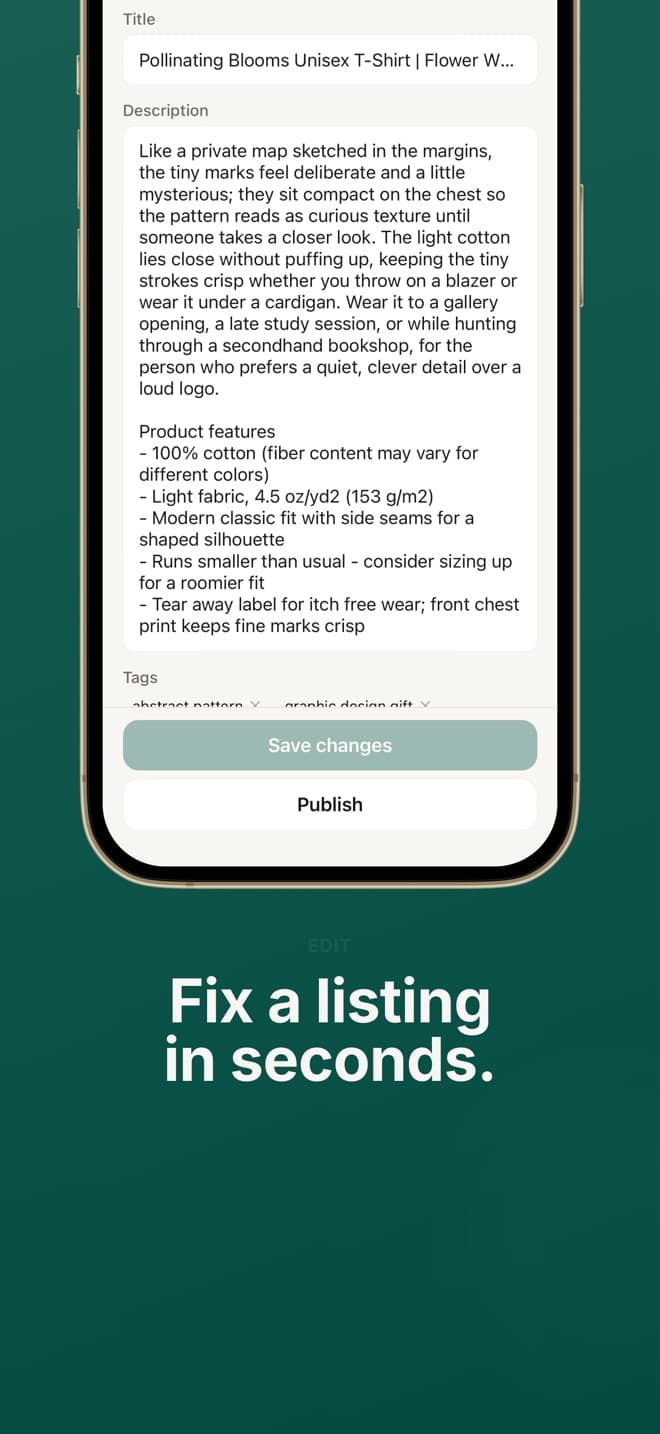
- Have titles, descriptions and tags written per design, or write your own
- Review every product before anything is created
- Publish to the store connected to your Printify shop
- Edit a product's title, description, tags and price later
Phone or web
Big batches on the web, new designs on the phone.
The website sets up new products from Printify's catalog and runs batches of up to 50 designs. The app is for the design you made on the go: it reuses a setup that already works, so there is nothing to configure on a small screen. Start with the Printify bulk uploader on a computer, then add to it from your phone.
Questions
Productify iPhone app FAQ
Is the iPhone app free?
The download is free. Creating a product uses one credit, the same as on the web. Credit packs are sold in the app through Apple at the same prices as the website.
Do the app and the website share an account?
Yes. Sign in with the same email and you see the same Printify shops, templates, designs and credits. Credits bought on either one work on both.
What does the website do that the app does not?
Setting up a new product from Printify's catalog, batches of more than 5 designs, and bulk edits across many products stay on the website. The app starts from a product or template you already have.
Which devices does it run on?
iPhone with iOS 15.1 or later. The App Store also offers it on Macs with Apple silicon and on Apple Vision Pro.