
Save from your shop
Save setups from your shop
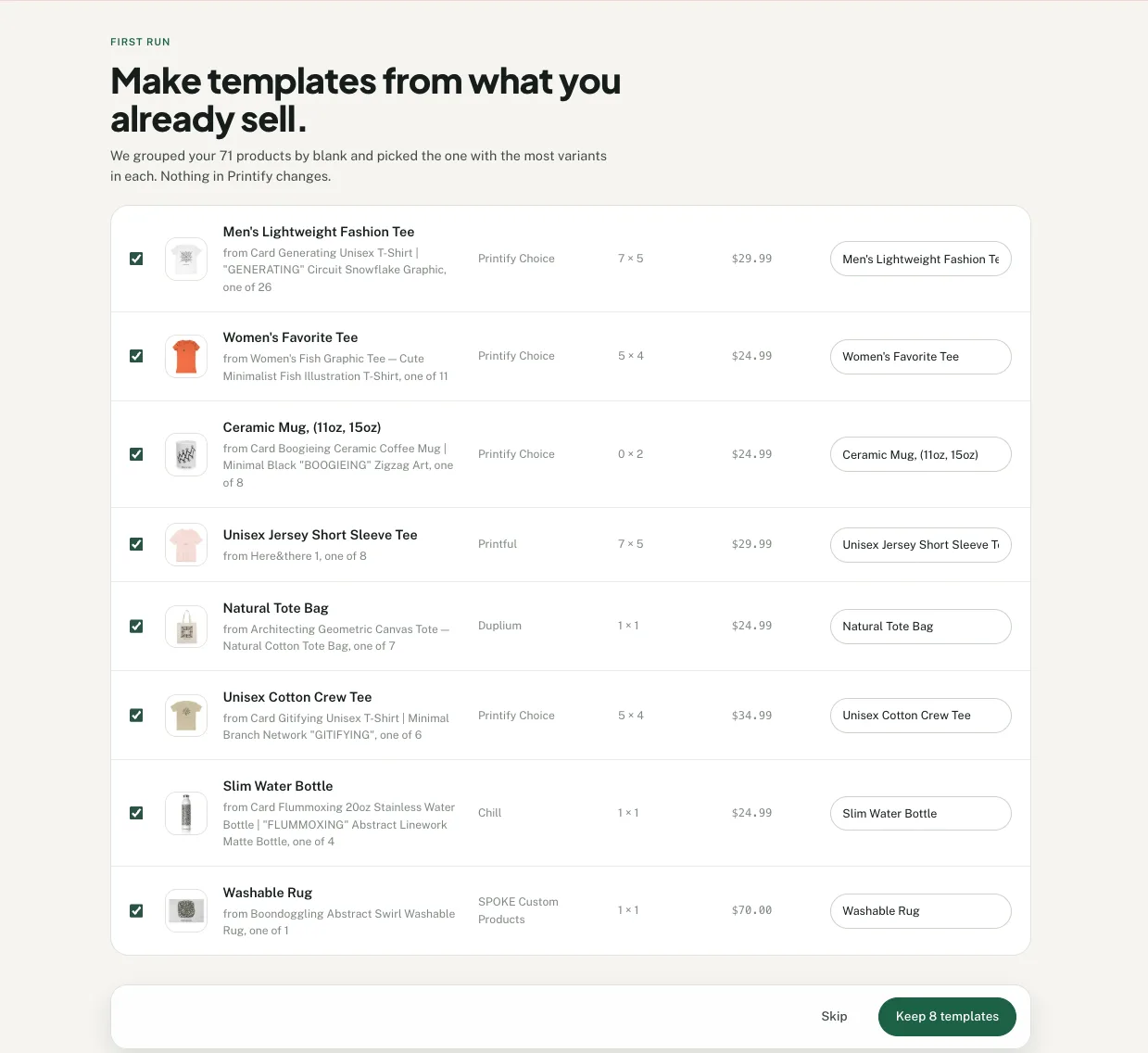
- Open Templates and select New template.
- Choose from the suggested products in your selected Printify shop.
- Name the setups and select Keep templates.
Or save one product
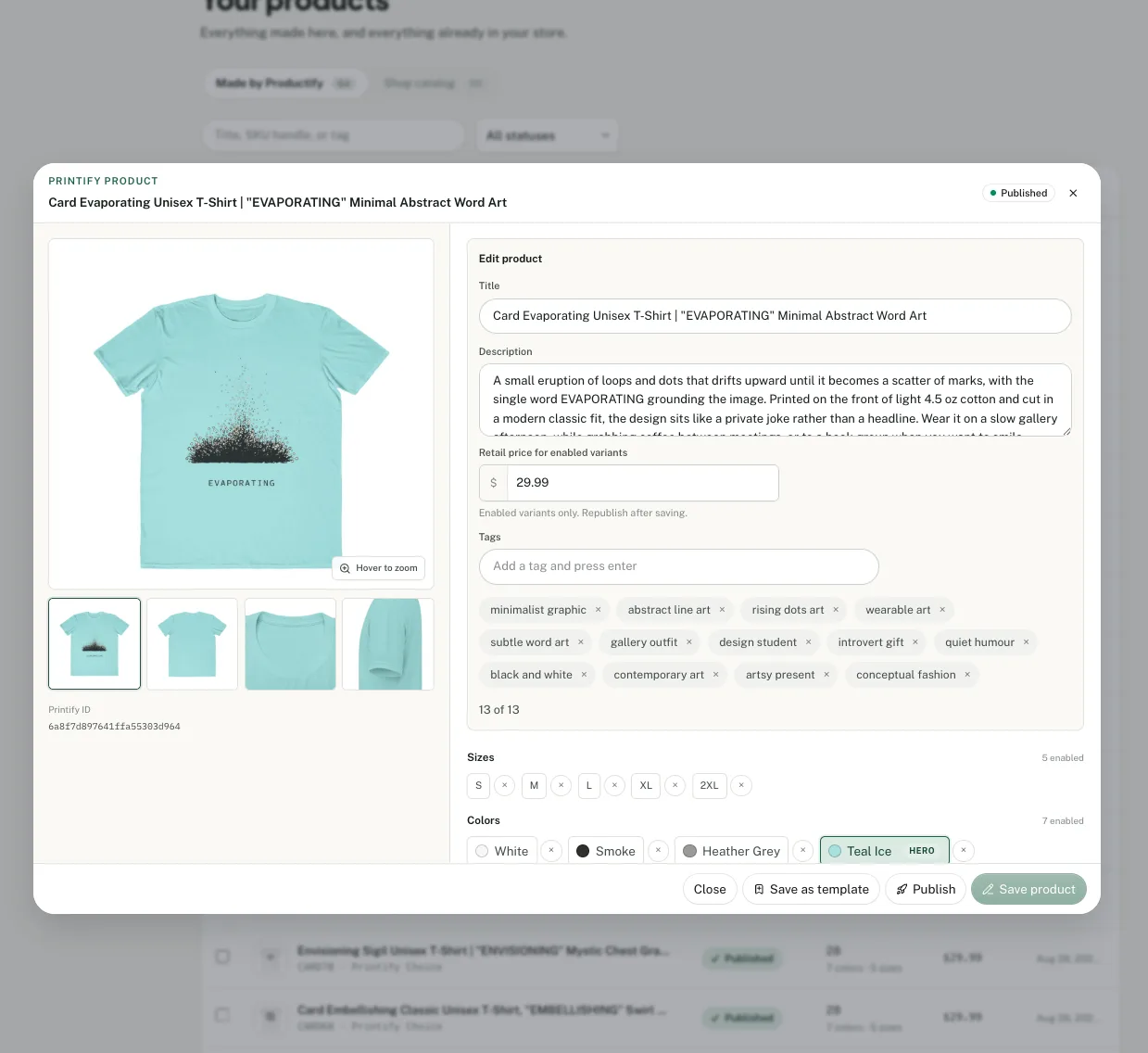
Save one product as a template
Open a product in Productify and select Save as template. Its product type, print provider and enabled variants, one retail price (the most common one) and the print area and placement of its first design are saved.
Other print-area artwork is not saved. The source description is available for optional reuse.
Use it again
New artwork, same setup.
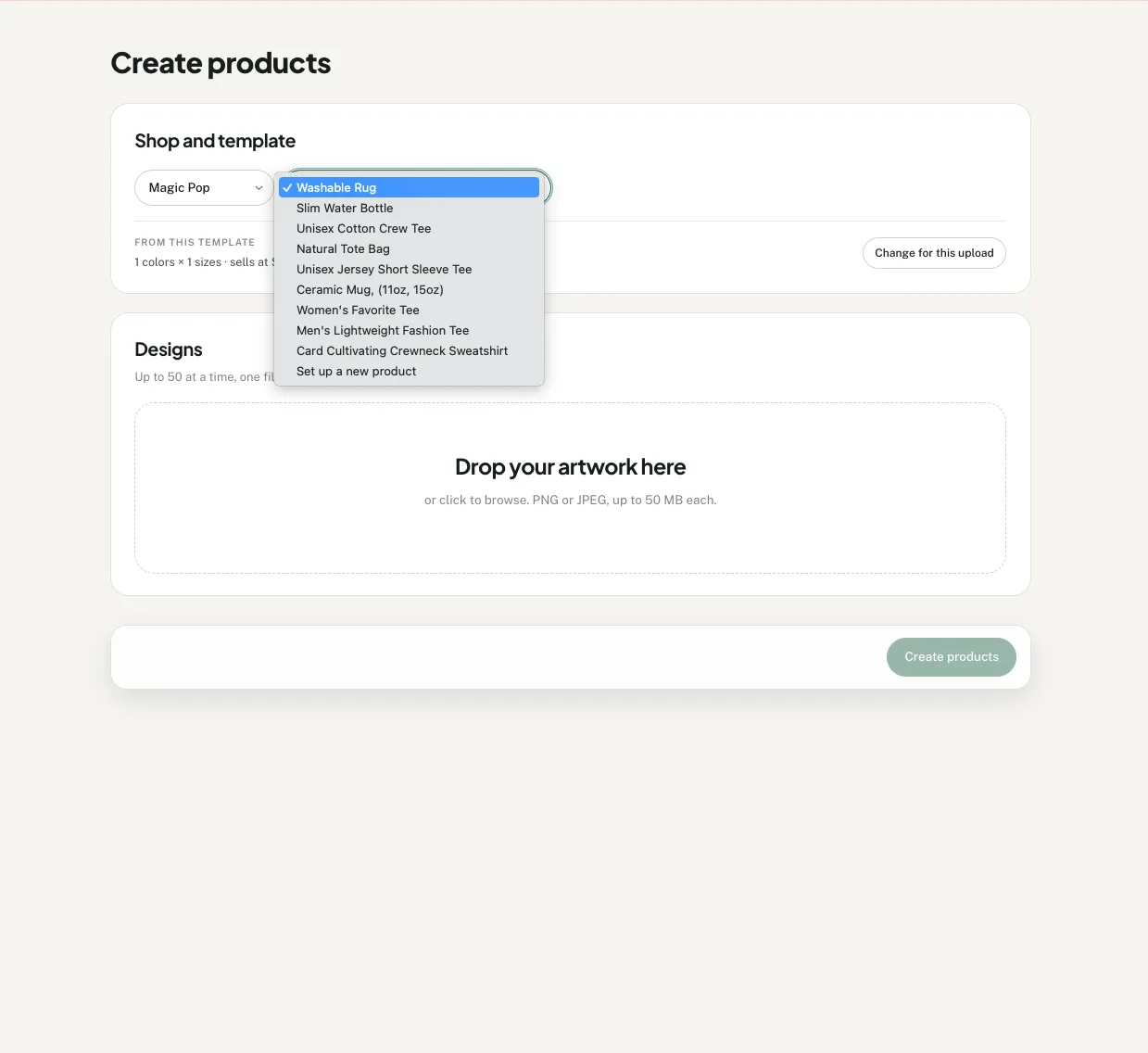
Select Use template beside the product setup for your next designs.
Add up to 50 PNG or JPEG files. Choose Set up a new product when you need a different product or print provider.
Review each product before creating it in Printify. See how to create products from a template.
Frequently asked questions
Is this the same as Printify's Duplicate button?
No. Printify's Duplicate makes a copy of a product from My Products, and you then replace the design, check its placement and update the listing details on that copy. A Productify template applies the same setup to up to 50 designs in one upload and shows every proposed product for review before creation.
What does a Productify template save?
A template saves the Printify product type, print provider and enabled variants, one retail price (the most common one on the source) and the print area and placement of its first design, and the source description for optional reuse. Artwork on other print areas is not saved. It also keeps the source product's main mockup as a thumbnail in the Templates list.
Does creating a template change the original Printify product?
No. Productify reads the product setup and saves it for future uploads. The source product remains unchanged in Printify.
Can I change a template for one upload?
Yes. Select Change for this upload to adjust colors, sizes, price or artwork placement for the current upload. The saved template remains unchanged.
Can I start with a new Printify product instead?
Yes. Choose Set up a new product, then search Printify's current catalog and select the product, print provider, variants, price and artwork placement for your designs.
Does a template copy the old artwork or hero image?
The source product's main mockup appears as the template thumbnail. Each new product uses its own uploaded artwork and receives its own Printify mockups after creation.
How many designs can I upload with one template?
The guided Create flow accepts up to 50 PNG or JPEG files per upload. Each file becomes one proposed product using the selected template.
Printify documents its own Duplicate in How do I duplicate products in Printify?. For the whole flow from template to created products, read how to bulk upload products to Printify from one template.