Printify catalog
Printify catalog: how to choose a blank and a print provider
Printify's catalog lists blank products, which its API calls blueprints, and each one is printed by one or more print providers. Providers differ in location, production and shipping prices, colors, sizes and print areas, so the same blank is a different offer at each one. Choose the blank for what you want to sell, then the provider whose colors, print areas, cost and ship-from location suit your buyers. To skip the comparison, Printify Choice routes each order within Printify's own provider network at a fixed price.
Updated
Decide the blank first
The blank is harder to change later than the provider
Printify documents a bulk Replace provider action for products that share one model and one provider. Changing the model itself, for example from Bella+Canvas 3001 to Gildan 5000, has to be done one product at a time. A provider can be revisited in bulk after launch. A different blank means editing every product.
Blueprints
What is a blueprint in the Printify product catalog?
A blueprint is a blank before your artwork is on it. Printify's API documentation calls catalog items blueprints and only calls them products once artwork is added.
Each blueprint carries the manufacturer's brand and model, such as Gildan 64000 or Bella+Canvas 3001. Searching by model is the reliable way to find the exact blank you mean.
A blueprint has no single set of colors or sizes. Those belong to each provider's version of it, as variants: one variant for each color and size combination. Printify caps a product at 100 variants, so 14 colors in six sizes (84) fits and 18 colors in six sizes (108) does not.
Print providers
Why is the same blank different at each print provider?
Printify's own list of print provider differences runs to nine items. These are the ones that change what you can sell or what you keep from each sale.
| What differs | What it changes for you |
|---|---|
| Production cost | Your margin at a given retail price. Printify's own example: the Gildan 64000 tee starts at $7.77 through Printify Choice with Printify Premium, and at $9.99 from SwiftPOD (checked September 27, 2026). |
| Colors and sizes | Which variants you can list. A color one provider stocks may not exist at another. |
| Print areas and their sizes | Whether a back, sleeve or neck print is possible, and the pixel size your artwork needs to fill the area. |
| Location | Where orders ship from, which sets shipping cost and delivery time to your buyers. |
| Shipping rates and methods | What your buyer pays at checkout, and whether a faster option exists. |
| Printing method | DTG, DTF or embroidery. Printify notes that each provider tunes its own color output, even on the same garment with the same technology. |
| Performance Score | Printify's rating of the provider for Quality, Production Speed, and Samples & Shipping. |
Comparing providers
How do I compare print providers for one blank?
Rule providers out on what they cannot do, then compare cost on the ones left. Most of these checks come from Printify's own decision questions.
- Set the Ship from region to where most buyers live. Printify recommends a local provider for lower shipping cost and quicker delivery.
- Keep only providers with every color and print area you need. A design planned for front and back rules out a provider with a front print area only.
- Compare production cost for the sizes you will sell. A starting price covers the cheapest variant only.
- Add shipping to your main market. Check the first-item rate and the rate for each additional item.
- Check the Performance Score and the extras you rely on, such as packaging inserts, gift messages or neck labels.
- Order a sample from the provider you pick before you put a batch of designs on it.
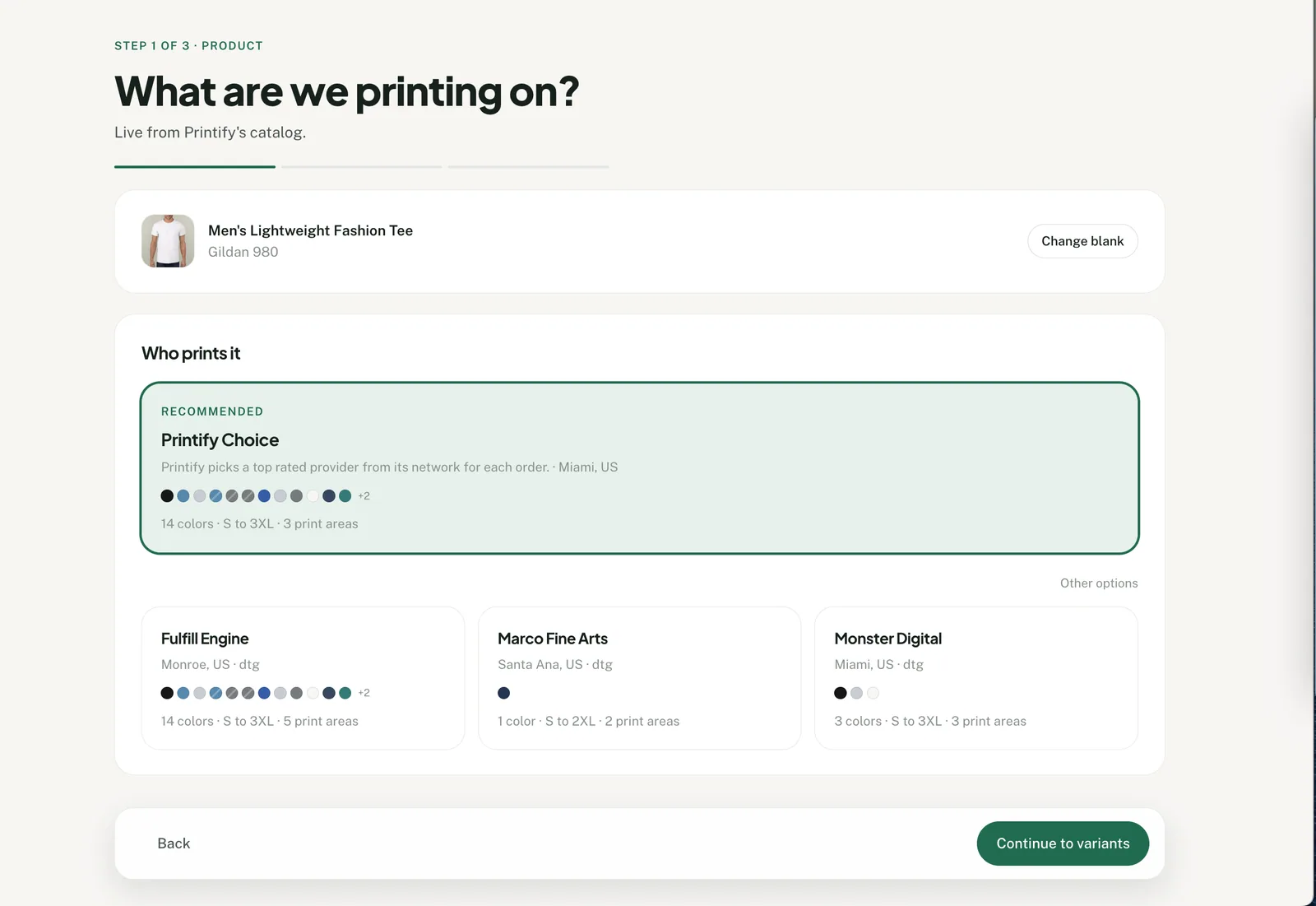
Shipping rates, the Ship from region and the Performance Score are on Printify's side. Productify's provider cards show location, color count, size range, print area count, the starting blank cost when Printify shares it, and, on each named provider's card, the printing method.
Printify Choice
Should I pick Printify Choice?
Printify Choice is a network of providers, not one provider. You pay one fixed listed price, and Printify picks the provider for each order, closer to the customer where it can. Printify says it covers 100+ best-selling products and gives the best value when the United States is your target market.
Printify names two trade-offs. A design may be reduced by up to 7% in rare cases with unique colors. A product with several print areas can be marked out of stock at order time if no provider in stock supports all of them.
Pick a named provider instead when you need a color only one provider stocks, or a blank outside the Choice range. When a blank offers Printify Choice, Productify marks it Recommended and selects it for you; choosing another provider replaces it.
Missing costs
Why does Productify ask for a retail price instead of a profit?
Because Printify's catalog does not always return blank costs, and a profit or markup cannot be calculated without one. As of September 2026, the published catalog API lists a variant's id, title, options, print areas and printing methods, with no cost field.
Productify uses a cost whenever Printify's response includes one. If any variant from the chosen provider arrives without a cost, the price step asks only for a fixed retail price and rounding. If Printify returns no costs at all for that provider, the step also says “Printify did not share costs for this blank, so set a retail price.” and the provider card leaves off the starting blank cost.
When costs are present, pricing starts at a fixed profit of $10.00, rounded to .99, with markup and fixed retail as the other choices. The step then shows the blank cost range and the retail range for the colors and sizes you selected.
Before you set a fixed retail price, look up the production cost for that blank and provider in Printify's catalog. Printify defines production cost as what it charges you to print the product, before shipping. One retail price across every size means a smaller margin on any size that costs more to print.
From choice to setup
How does my blank and provider become a setup I can reuse?
In Productify, the blank, provider, colors, sizes, placement and price you choose once become the setup for every design in the upload. Saved as a template, the same setup starts the next batch.
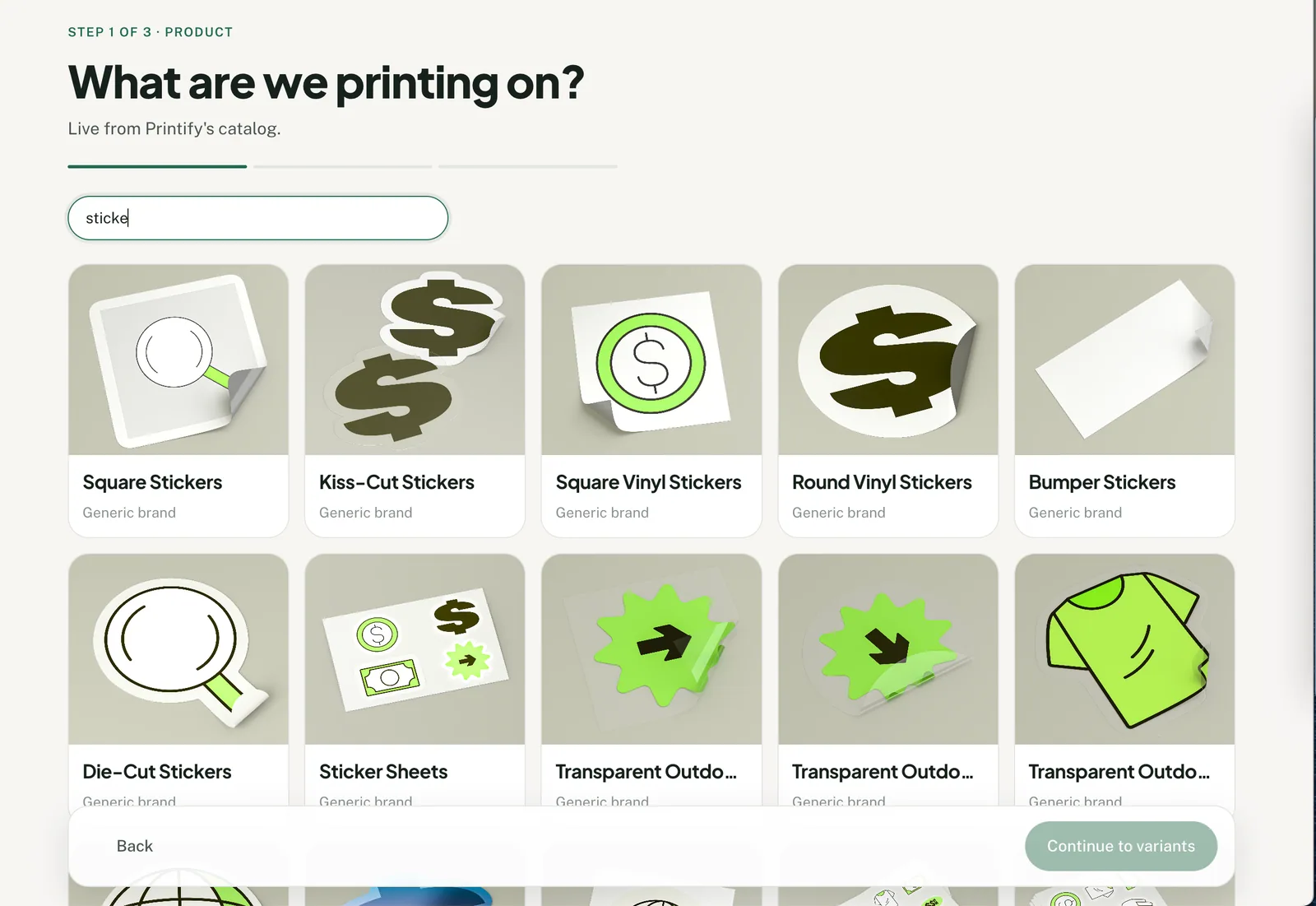
- Product. Search Printify's live catalog by product, brand or model, choose the blank, then choose a provider under Who prints it.
- Variants and price. Choose colors and sizes; every design gets the same set. Productify counts the variants per product and refuses a selection over Printify's 100. Set the price as a fixed profit, a markup or a fixed retail price.
- Artwork. Add up to 50 PNG or JPEG files. Each file becomes one proposed product on that blank. The placement, meaning width, scale, position and rotation, is set once and applies to every design.
No Printify product is created until you review the batch and confirm it. To reuse the setup, open a created product under Products and choose Save as template. A saved product template belongs to the shop it was saved in, so the next upload there needs only artwork.
A new setup places the artwork on the front print area. To print on the back instead, build one product in Printify with its only artwork on the back and clone it in Productify: new designs take that print area and placement. The guide to bulk creating from a past product covers the clone. Each new product carries one design on one print area; artwork on the source's other print areas is not copied.
Where Productify fits
What Productify covers, and what to check in Printify
Productify reads the same live catalog and puts the comparison facts it can get from the API on each provider card. It then carries one blank and provider across up to 50 designs. Printify's dashboard creates products one at a time, as can you bulk upload to Printify sets out with Printify's own sources.
It does not show shipping rates, the Performance Score or the Ship from region, so compare those in Printify's catalog. It does not support all-over print products. Each batch uses one blank and one provider; the same designs on a second blank are a second batch.
For the full walkthrough from blank to created products, see bulk create Printify products without a template. Productify is independent and is not affiliated with Printify.
Official Printify references
- What are Print Provider differences?
- What is Printify Choice, and how does it work?
- How can I create a product with Printify?
- Replacing the Print Provider for multiple products
- Using multiple Print Providers for a single listing
- Printify API documentation, catalog resource
- Printify print on demand overview
Sources checked September 27, 2026.
Questions
Printify catalog FAQ
How many products are in the Printify catalog?
Printify's print-on-demand page says 2,000+ products, printed across 140+ facilities (checked September 27, 2026).
Why do some colors disappear when I switch providers?
Colors belong to each provider's version of the blank, not to the blank itself. Printify's API also returns only in-stock variants unless asked otherwise, so a color that is out of stock at a provider does not show for it.
Can one listing use more than one print provider?
Only with manual work, unless the product is eligible for Printify Choice Global Fulfillment. Printify's manual workflow is an unpublished product per provider, one listing on your sales channel, and each order imported against the matching provider's product.
What image size does a print area need?
Printify publishes each print area's size in pixels, per provider. Productify states that size on the artwork step and reports the DPI your file reaches at the size you place it.
Choose the blank and provider once.
Pick them from Printify's live catalog, then add up to 50 designs and review one proposed product per file.