Existing products
How do you bulk edit Printify products?
Printify changes some product details in bulk and others one product at a time. As of September 2026, Printify documents bulk actions for price, publishing, deletion, print provider, copying between stores and Pop-Up Store collections. Titles, descriptions and tags are documented as one-product edits, apart from a bulk action that adds EU product safety details to descriptions. “Bulk eligible” is a discount badge that comes with the product and print provider, not a setting you edit.
Updated
In Printify's dashboard
Which Printify product details can you edit in bulk?
| What you want to change | What Printify documents | Printify source |
|---|---|---|
| Retail price, profit or margin | In bulk. Select products and choose Edit price. A price goes to every variant, so edit the margin to keep different prices by size. | Updating retail prices |
| Publishing changes to the store | In bulk, choosing which details sync to the sales channel. | Selective publishing |
| Print provider | In bulk when every selected product is the same model from the same provider. A different model is one product at a time. | Replacing the provider in bulk |
| Pop-Up Store collections | In bulk, for published and visible products. | Product Collections |
| Copy to another store, or delete | In bulk. | Editing an existing product |
| EU product safety text in descriptions | In bulk, 24 products at a time at most. | GPSR requirements |
| Title, description and tags | One product at a time, then republish. | Editing an existing product |
| Colors, sizes, design and main mockup | One product at a time, then republish. | Editing an existing product |
| Bulk eligible | Not an editable field. The badge depends on the product and print provider. | Bulk order discounts |
Sources checked September 27, 2026.
Descriptions
How do I bulk edit product descriptions in Printify?
Printify documents description changes one product at a time. Open the product in My Products, edit the description, then publish with the Description box checked.
The one bulk description action is for EU product safety details. Select as many as 24 products, choose More actions, then Edit description, and add the product safety information. Printify says nothing else on those products changes.
Code works one product at a time too. As of September 2026, Printify's published API updates one product per request, so a script that rewrites 200 descriptions sends 200 updates.
When you republish, selective publishing can sync the description alone. That keeps a title or photo you changed directly in Etsy or Shopify.
Collections
How do I put Printify products into collections in bulk?
Printify's collections belong to its Pop-Up Store, and they take many products at once. From Printify's collections article:
- In My Products, select the products with their checkboxes.
- Choose Add to collection and pick one or more existing collections.
- Open each collection and choose Publish collection to save it.
Only published, visible products can join a collection. A published collection gets its own link. It stays off your homepage until you add it as a section in the Store Builder.
Etsy and Shopify stores group products on their own side. Printify's help center has no article on setting a Shopify collection or an Etsy shop section from Printify. On Shopify, a collection with a tag condition includes every product carrying that tag, and Printify publishes tags to Shopify and Etsy. Adding that tag in Printify is still a one-product edit.
Bulk discounts
Can you change bulk eligible after a product is published?
Not as a setting. “Bulk discount eligible” is a badge Printify shows on the print providers that offer bulk discounts for a product. Eligibility and minimum quantities vary by product and provider.
The discounts apply to orders you place in quantity. Shipping is up to 50% off from 20 eligible items from one provider, in the US, Canada and Germany, on Standard shipping only. The product discount runs from 5% to 46%, typically from 51 units of the same item from the same provider. Source: Printify's bulk discount article.
To make a product you already sell eligible, move it to a provider with the badge:
- In Printify's Catalog, open Filters & Sorting, expand Discount and select Bulk discount eligible to see which providers offer it for your blank.
- For one product, choose Replace in My Products and pick the new provider on the Print providers tab.
- For many products of the same model and provider, select them and choose More actions, then Replace provider.
- Republish the products with the Shipping profile box checked.
Printify says the listing URL and its history stay the same on the sales channel. Bulk replacement turns on every available color and size, so check the designs, mockups and prices afterward.
Where Productify fits
Can Productify bulk edit my Printify products?
Yes, for the products Productify created. Those sit under Made by Productify on the Products page, where a selection changes in one action. Products made elsewhere sit under Shop catalog and open one at a time.
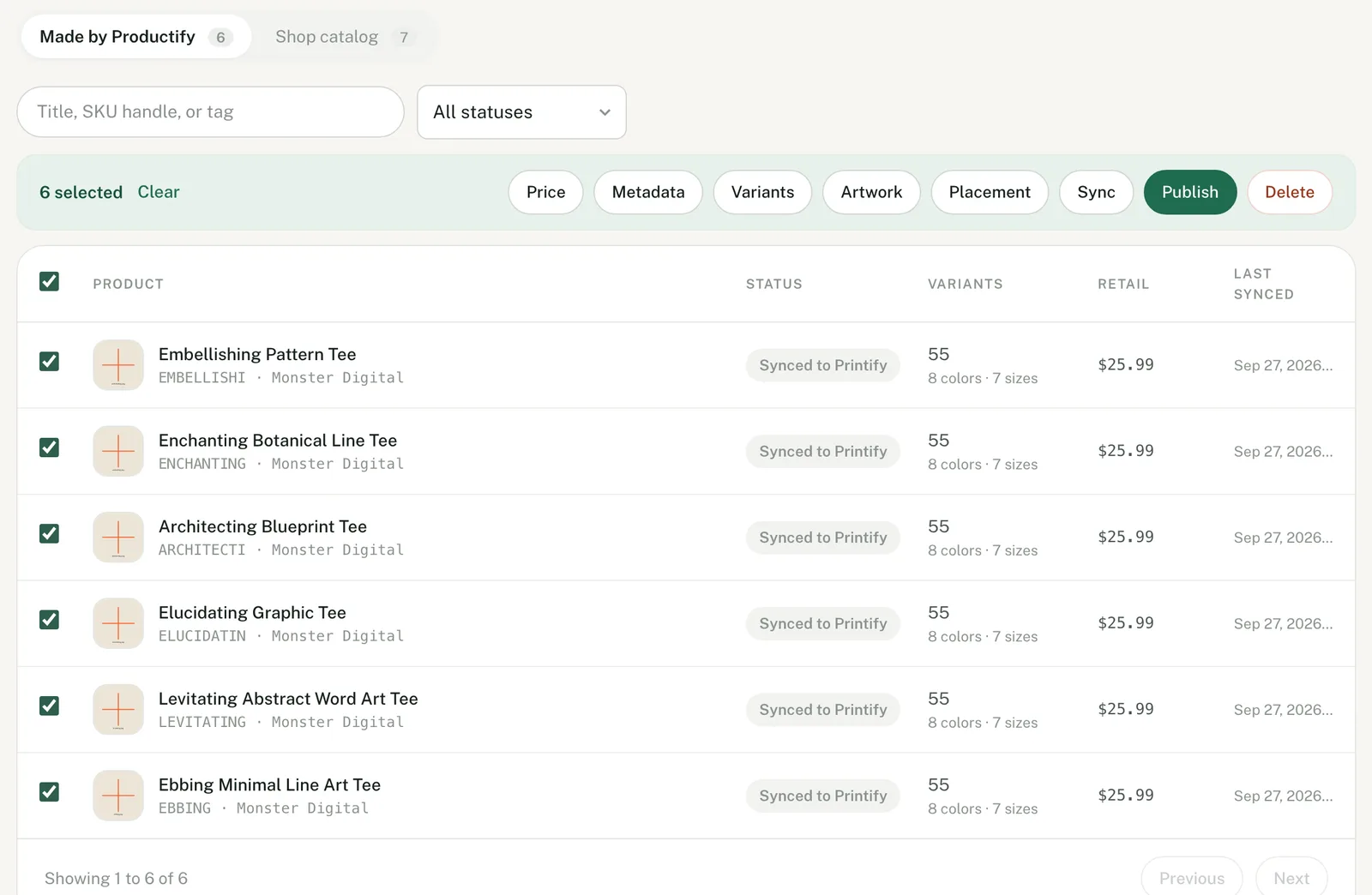
- Narrow the list. Search matches a title, SKU handle or tag. The status filter separates published products from those still waiting to be published.
- Select the products. The header checkbox takes the page, and Select all takes every match. One action takes 500 products at most.
- Run the action. Each product is saved to Printify as it finishes. If some fail, retry the failures; finished products are not redone.
- Publish. Edits land in Printify first. Your store shows them once the products are published again.
| Action | What it changes on every selected product |
|---|---|
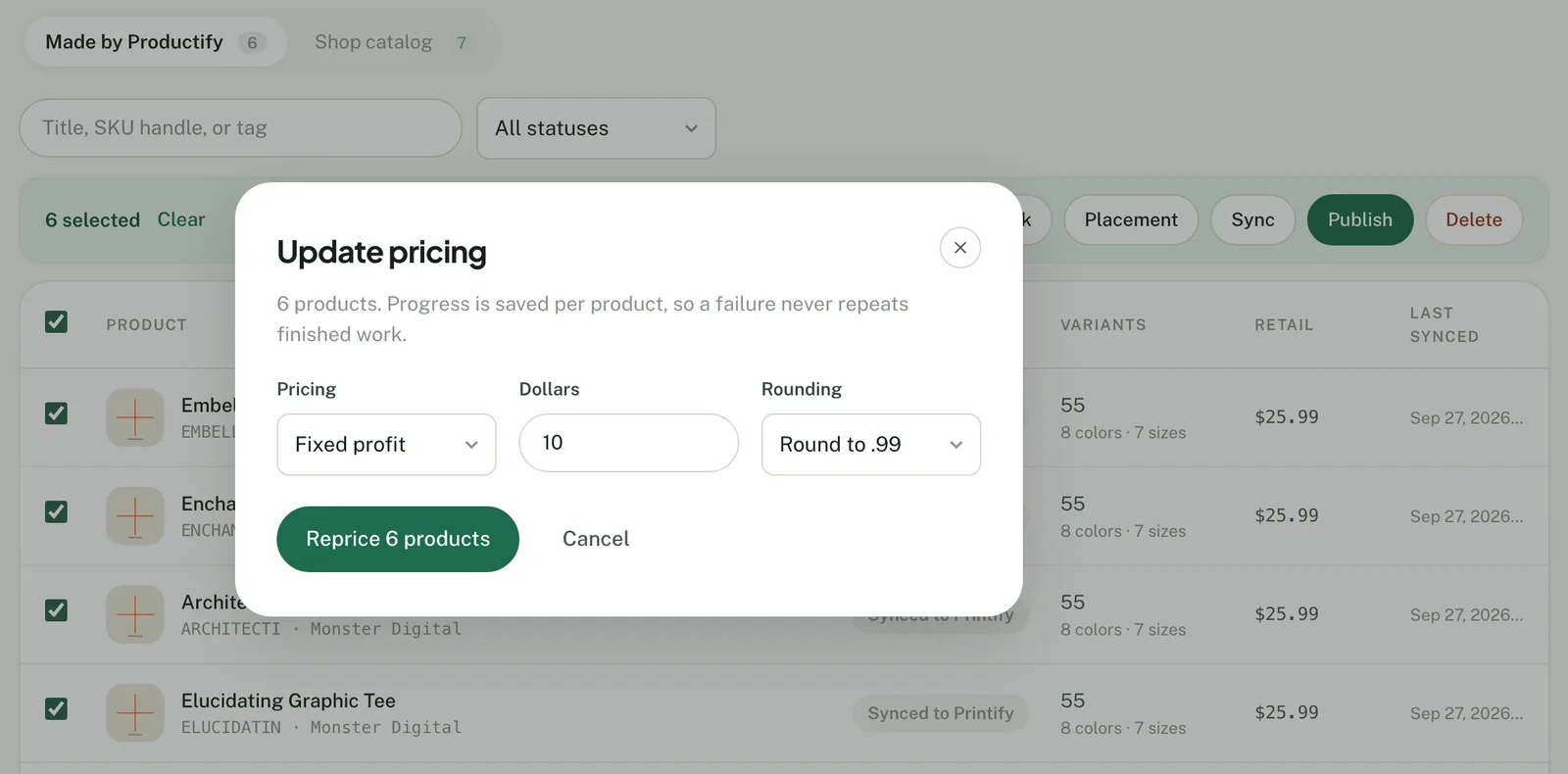
| Price | Fixed profit adds dollars to each variant's production cost. Markup adds a percentage of it. Fixed retail sets one price. Rounding ends prices in .99 or .95, rounds to the nearest dollar, or leaves them exact. |
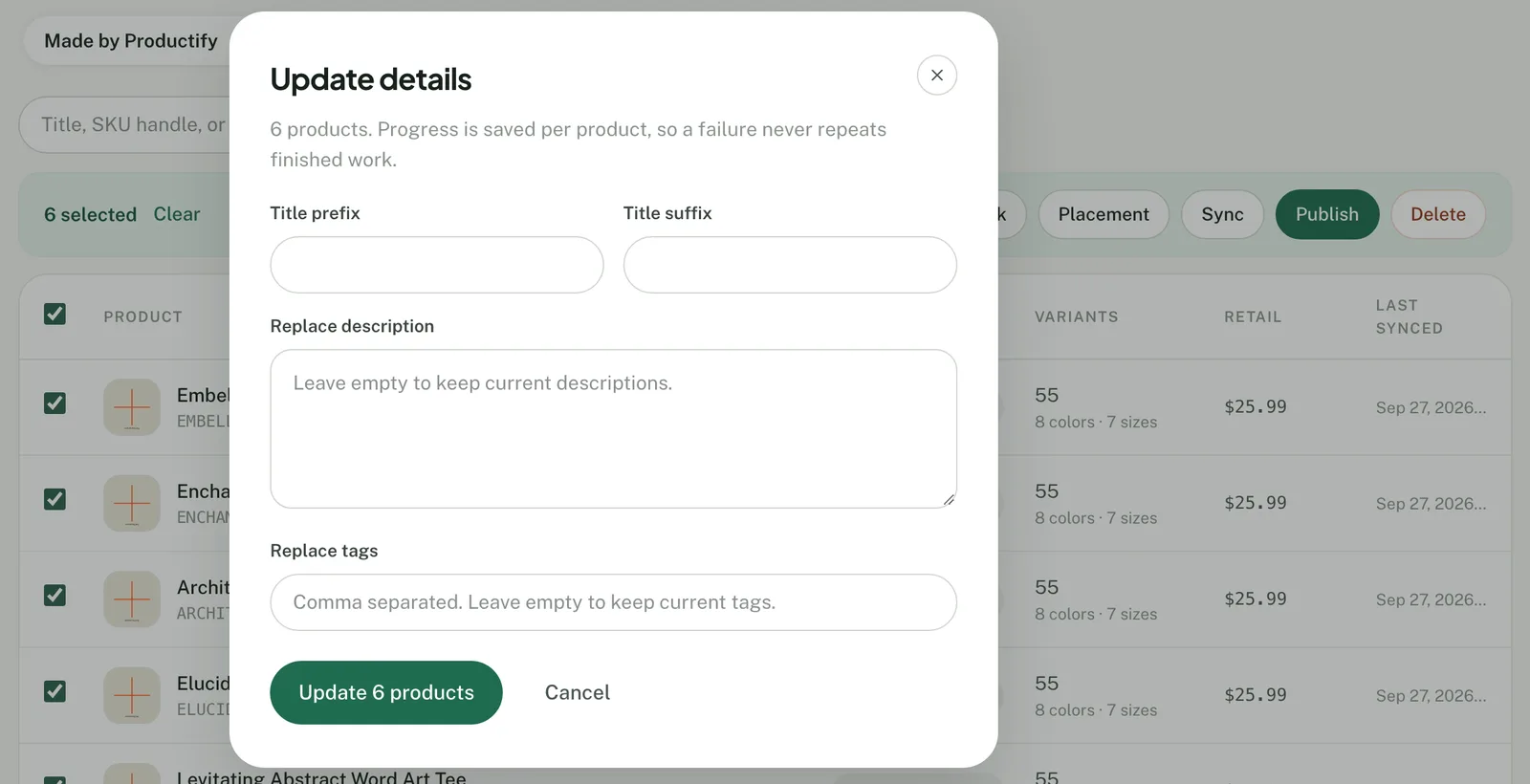
| Metadata | Adds a title prefix or suffix, including any space you type. Replaces the description or the tags. An empty field leaves them as they are. |
| Variants | Turns colors and sizes on or off, from those the products already carry. A change that would take every variant off sale is refused. |
| Artwork | Replaces the artwork with one design from your library. |
| Placement | Moves the design to Standard center, Large center or Left chest. |
| Sync | Reads each product back from Printify. |
| Publish | Sends each product to the shop's sales channel. Printify's API allows 200 publishes per 30 minutes, so a large set takes a while. |
| Delete | Deletes the products in Printify. Productify keeps the records as history. |
What Productify does not do
- Replace description and Replace tags put the same text on every selected product. There is no find-and-replace, and no way to add one tag while keeping the rest.
- Publish sends the title, description, mockups, variants and tags together, with no selective option. A title or tag changed directly in Etsy or Shopify is replaced. Use Printify's selective publishing when you need to keep those.
- Collections, Etsy shop sections, print provider and bulk discount eligibility are not in Productify. Change them in Printify or in your store.
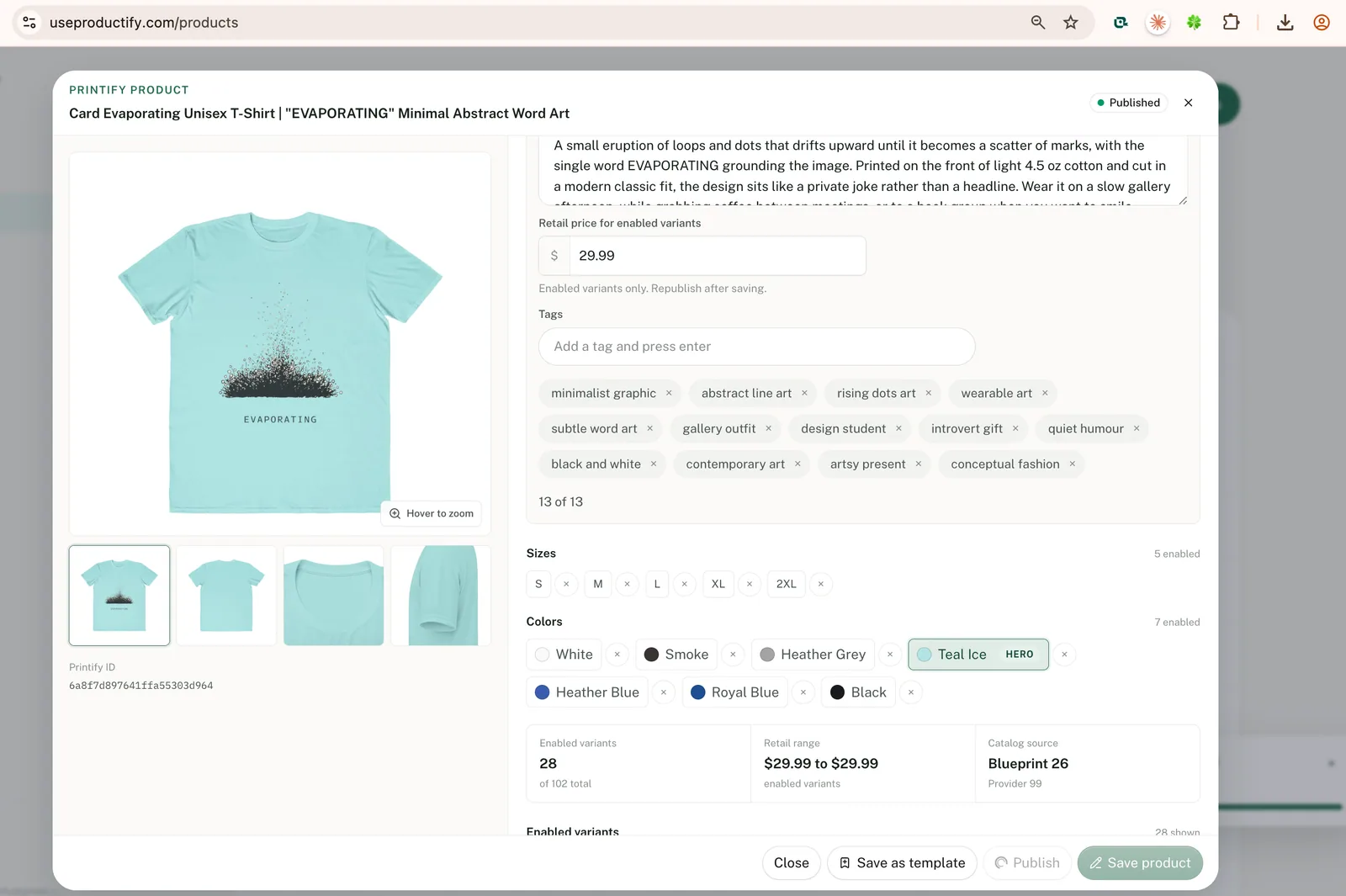
- Shop catalog products cannot join a bulk action. Open one to change its title, description, retail price or tags (13 tags, 20 characters each). You can also choose its hero color or remove a color or size, then publish.
For a Shopify collection, plan the tag before creating. A tag added in Product details during an upload goes on every product in it. A tag-based collection picks up the whole batch once it is published.
An older product cannot join a bulk action, but its setup can be reused. Save it with Printify product templates, and the new products made from it can be edited in bulk. The upload itself is in how to bulk upload to Printify with a template. Whether Printify can create products in bulk at all is answered in can you bulk upload to Printify?
Questions
Printify bulk editing FAQ
Can I bulk edit Printify products I made before using Productify?
Not in bulk. They stay under Shop catalog and open one at a time. You can save one as a template or clone it onto new designs, and the products that creates can be edited in bulk.
Does a bulk edit change my Etsy or Shopify listing right away?
No. The change is saved to the product in Printify first. Your listing changes when the product is published again. Printify says republished changes reach the sales channel within a few minutes.
Can I add one tag to many products and keep their other tags?
Not in bulk. Printify documents tag edits one product at a time, and Productify's Replace tags swaps each product's whole tag list for the one you type. To add a single tag, edit each product.
Can I add a new color or size to products that are already live?
Productify can only turn on colors and sizes a product already carries. To add one it never had, open the product in Printify's Product Creator, select the variant, save and republish.
Do bulk edits use Productify credits?
No. A credit is used only when a new product is created in Printify. Editing, syncing, publishing and deleting use none.
Create Printify products you can edit together.
Set up one product, add up to 50 designs, review each one, then create them in Printify.